Fine-Tune Qwen3-0.6B with LoRA on a Single GPU Using NVIDIA NeMo AutoModel
A practical walkthrough for fine-tuning Qwen3-0.6B with LoRA on a single GPU in Google Colab using NVIDIA NeMo AutoModel. Steps, settings, and results.
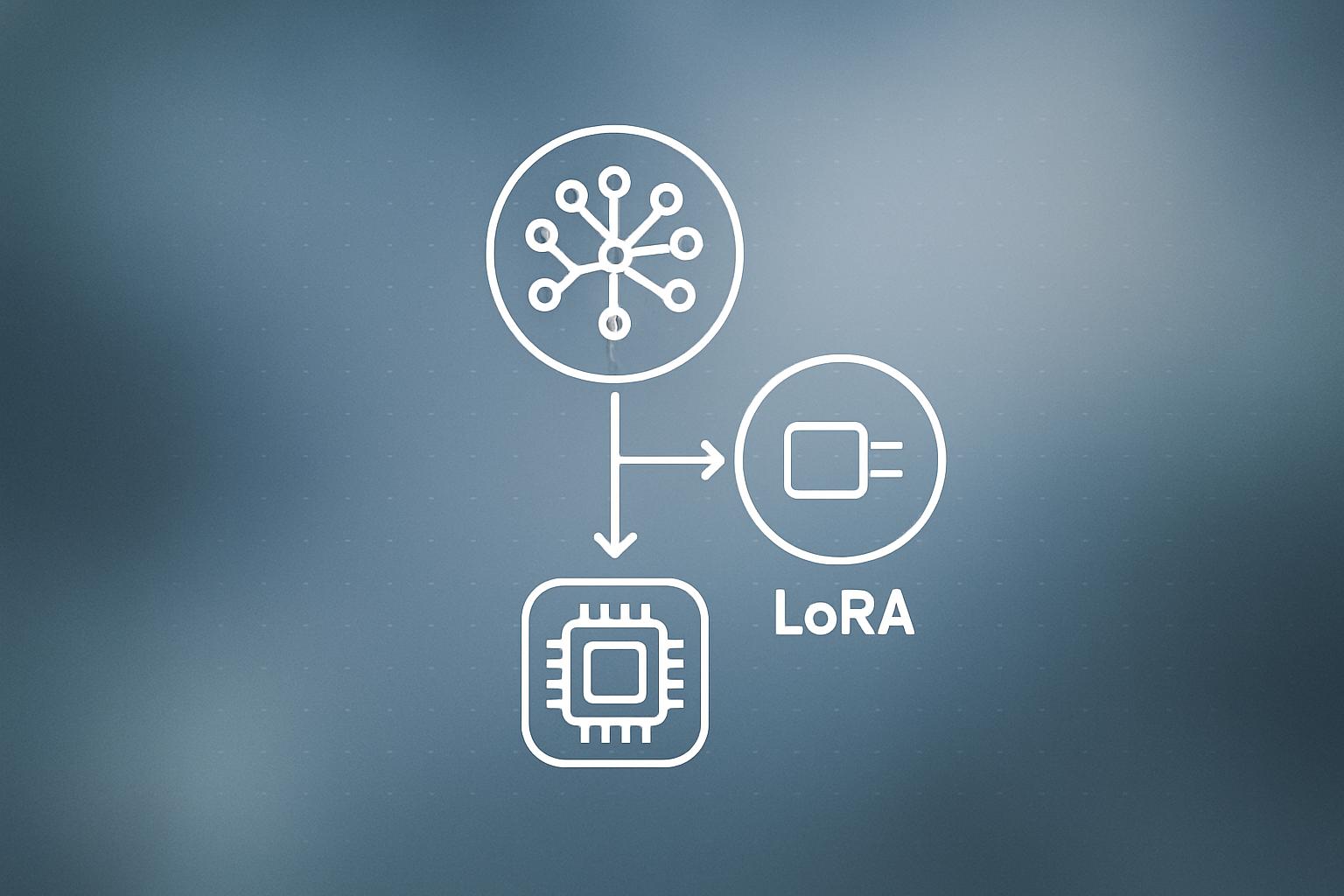
A new tutorial published by Marktechpost shows how to fine-tune Alibaba's Qwen3-0.6B language model on a single GPU inside Google Colab, using NVIDIA NeMo AutoModel and LoRA (Low-Rank Adaptation, a technique that trains a small fraction of model weights to reduce memory cost). The workflow installs NeMo AutoModel from its GitHub source, loads an official Qwen3 PEFT recipe, adjusts precision and batch-size settings for a constrained Colab runtime, trains for 40 steps on the HellaSwag dataset, and compares outputs from the original and fine-tuned models.
What happened
| Detail | Value |
|---|---|
| Base model | Qwen/Qwen3-0.6B |
| Fine-tuning method | LoRA (PEFT) |
| Training dataset | HellaSwag |
| Max training steps | 40 |
| Epochs | 1 |
| Batch size cap (local) | 4 |
| Global batch size cap | 8 |
| Platform | Single GPU, Google Colab |
| Framework | NVIDIA NeMo AutoModel (installed from source) |
The tutorial walks through a complete end-to-end pipeline. It starts by checking that the Colab runtime has a CUDA-enabled GPU and inspecting three hardware properties: GPU name, total VRAM in gigabytes, and bfloat16 support. If bfloat16 is not available, the recipe is automatically patched to use float32 instead.
NeMo AutoModel is cloned directly from the NVIDIA-NeMo GitHub repository and installed with pip install -e. Two supporting libraries, PyYAML and PEFT, are added alongside it. The installer then confirms the package loaded correctly before moving to training.
How the recipe patching works
The tutorial finds an official Qwen3-0.6B PEFT YAML recipe inside the cloned repository, loads it with PyYAML, and runs a recursive patch function over every node. The patch does three things:
- Replaces bf16 or bfloat16 precision strings with float32 when the GPU does not support bfloat16.
- Caps local batch size at 4 and global batch size at 8 to fit inside a Colab GPU’s VRAM.
- Sets
max_stepsto 40,ckpt_every_stepsto 40, andnum_epochsto 1 so training finishes in a reasonable time.
Checkpointing is enabled and pointed at a local directory. The patched YAML is saved as a new file and passed to the automodel CLI. If the primary CLI syntax fails, the workflow retries with a legacy syntax automatically.
Why does this matter for teams that want to run their own models?
LoRA fine-tuning has become the practical entry point for adapting large language models to a specific domain or task without renting a cluster. But most tutorials either skip the infrastructure details or assume you already have multi-GPU hardware. This workflow is notable because it uses the same YAML-driven configuration that NeMo uses for distributed training, meaning a team can iterate cheaply on Colab, then promote the exact same recipe to a larger machine without rewriting anything.
The final step in the tutorial loads the saved LoRA checkpoint through NeMoAutoModelForCausalLM, NVIDIA’s Python API class, and runs inference side-by-side against the unmodified base model. That comparison is the practical proof that the adapter weights changed the model’s behavior. The API deliberately mirrors the Hugging Face interface, so teams already comfortable with AutoModelForCausalLM will recognize the calling convention.
For businesses exploring AI integration, this tutorial illustrates a realistic on-ramp: start with a small open model, fine-tune it on your own data, and deploy it without depending on a third-party API. The compute cost for 40 steps on a free Colab GPU is essentially zero.
Our take
The workflow is genuinely useful as a starting template. The auto-patching logic that downgrades precision and shrinks batch sizes based on detected hardware is a practical detail most tutorials omit, and it’s the kind of thing that saves an hour of debugging when someone runs the notebook on a different GPU tier.
That said, 40 training steps on HellaSwag is a demonstration, not a production fine-tune. HellaSwag is a sentence-completion benchmark, not a business dataset. Anyone planning to adapt Qwen3-0.6B to their own use case will need to replace the dataset, increase the step count substantially, and think carefully about evaluation. The 0.6B parameter model is also small enough that quality improvements from LoRA can be subtle and hard to measure without a rigorous eval harness.
The architecture argument is the more interesting one. If your team is already considering fine-tuning, building your pipeline around a configuration file that scales from one GPU to many is a smarter foundation than a bespoke training script. We’ve seen teams at the case study stage underestimate this and end up rewriting their setup when they move to production hardware. Start with the YAML approach from day one.
Watch the checkpoint compatibility between NeMo and the Hugging Face ecosystem. The tutorial demonstrates reloading through NeMo’s own API, but if your serving infrastructure expects a standard Hugging Face model directory, verify the export step before committing to this stack.
What to do about it
- Open a Colab notebook with a T4 or A100 GPU runtime before running the install, since NeMo AutoModel builds from source and takes several minutes.
- Swap the HellaSwag dataset reference in the YAML for your own dataset formatted in the same schema before doing any real training.
- Increase
max_stepsandckpt_every_stepsin proportion to your dataset size once you have confirmed the pipeline runs end to end. - Test inference through both
NeMoAutoModelForCausalLMand the standard Hugging FaceAutoModelForCausalLMto confirm the checkpoint is portable before building downstream tooling. - If you need help connecting a fine-tuned model to a production workflow, our AI integration service covers the full path from checkpoint to deployed endpoint.
The free Colab tier is enough to prove the concept. Prove it there first, then scale.
Frequently asked questions
Can I fine-tune Qwen3 on a free Google Colab GPU?
Yes. The tutorial runs a 40-step LoRA fine-tune of Qwen3-0.6B on a single Colab GPU by capping local batch size at 4 and global batch size at 8, and automatically switching to float32 if bfloat16 is not supported.
What is LoRA fine-tuning and why use it on a small GPU?
LoRA (Low-Rank Adaptation) trains a small set of additional weight matrices rather than updating all model parameters. This drastically reduces memory and compute requirements, making it practical to fine-tune large language models on a single consumer or cloud GPU.
What dataset does the Qwen3 NeMo AutoModel tutorial use?
The tutorial fine-tunes on the HellaSwag dataset, a sentence-completion benchmark commonly used to evaluate language model reasoning.
Does a NeMo AutoModel fine-tune scale to multi-GPU training?
According to the tutorial, the same YAML configuration used for single-GPU Colab training is designed to scale to distributed multi-GPU environments without code changes, only the hardware and batch size settings need updating.